
Getting Started with OrPytal
This page gives you the basics you need to jump right into OrPytal
Welcome to OrPytal!
OrPytal was created to simplify the process of working with Keplerian Orbits. In most astrodynamics packages, users are able to create orbits using specific sets of orbital parameters. These are typically Keplerian elements or Cartesian coordinates. What if, instead, I want an orbit created with an atypical pair of elements? What if I want to see what an orbit with a given radius of apoapsis and semi-latus rectum looks like? Well, instead of computing traditional elements by hand, Orpytal does all the hard work for you and accepts any orbital elements as inputs, and will compute everything else behind-the-scenes.
Let's take an example of how syntactically easy this is to do in OrPytal:
import orpytal as op

# Compute an orbit given radius of apoapsis and semilatus rectum
example_orbit = op.Orbit(op.bodies.earth, ra=21000*op.units.km,
                         p=11000*op.units.km)

# Return the state with an eccentric anomaly of 135 degrees
example_state = example_orbit.get_state(E=135*op.units.deg)

print(example_state)
In just a couple simple lines, an orbit is computed and a corresponding state is extracted. Of course, if the inertial orientation of the orbit is desired, the orbital angles can be provided in the same manner. Printing this orbit yields the output:
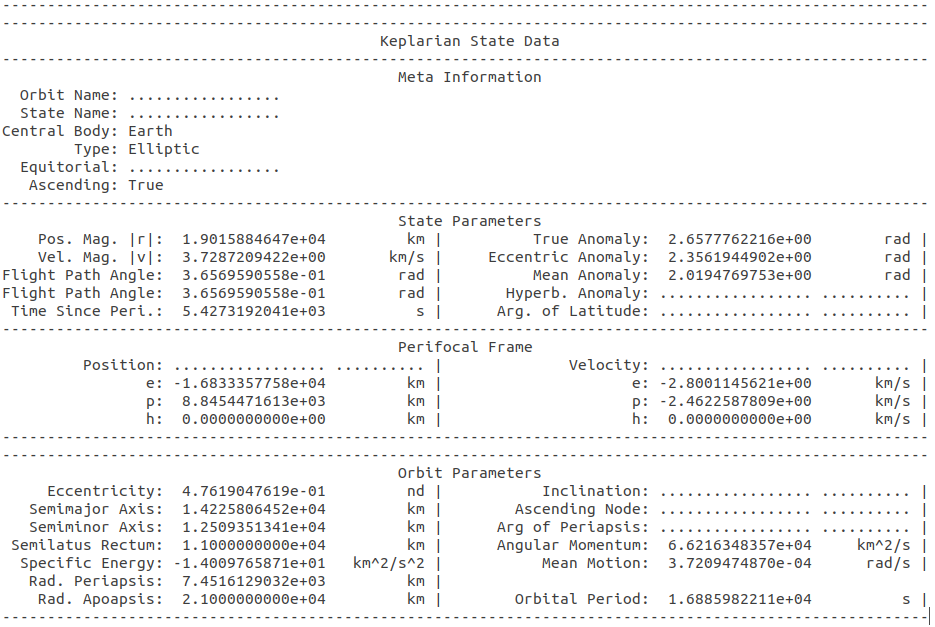
OrPytal makes it syntactically easy to work with orbits and Keplarian elements. OrPytal can also work by setting elements directly:
import orpytal as op

# Create Orbit
example_orbit = op.Orbit(op.bodies.earth)

# Set desired orbit parameters
example_orbit.period = 7.3 * op.units.hours
example_orbit.e = 0.5
example_orbit.raan = 120 * op.units.deg
example_orbit.arg_periapsis = 70 * op.units.deg
example_orbit.i = 45 * op.units.deg

op.plotting.plot_orbit(example_orbit, frame=op.frames.InertialFrame)
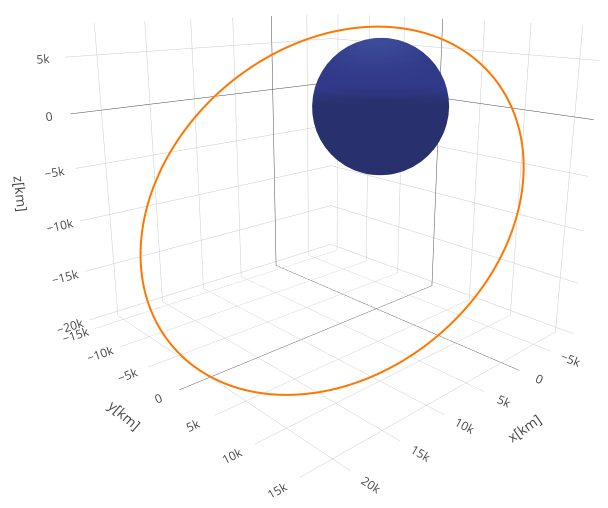
Notice that no function calls were needed to completely populate all additional orbital parameters. This yields the following orbit:
Updated about 7 years ago